
I’ve been using this handy site for searching a vast index of old Scottish parish records for births, baptisms, marriages, and deaths. The site doesn’t provide direct URL links to the search results, unfortunately, so there doesn’t appear to be a great way to link them in your bibliography.
The site does, however, show you a text description of your search (example: Church type: Old Parish Registers – Births, Surname: “wood”, Surname options: “Fuzzy matching”, Forename: “isabel”, Forename options: “Fuzzy matching”, Gender: “Female”, Year range: “from 1793 to 1793”, County/city: “AYR”, Parish/Congregation: “STEVENSTON_STEVENSTON”) so you can re-create your search when needed or include the string in your bibliography citation so readers can find the records themselves.
For a general use site like this, my approach is to look up every relevant person in my project report in order to find new, supporting, or alternative evidence for the information I’ve already found. Keeping track of what you found – and, just as important, what you did not find – for all of those people can be challenging. So I add a tab to my tasks worksheet to keep track of the results for each person I’m searching for.
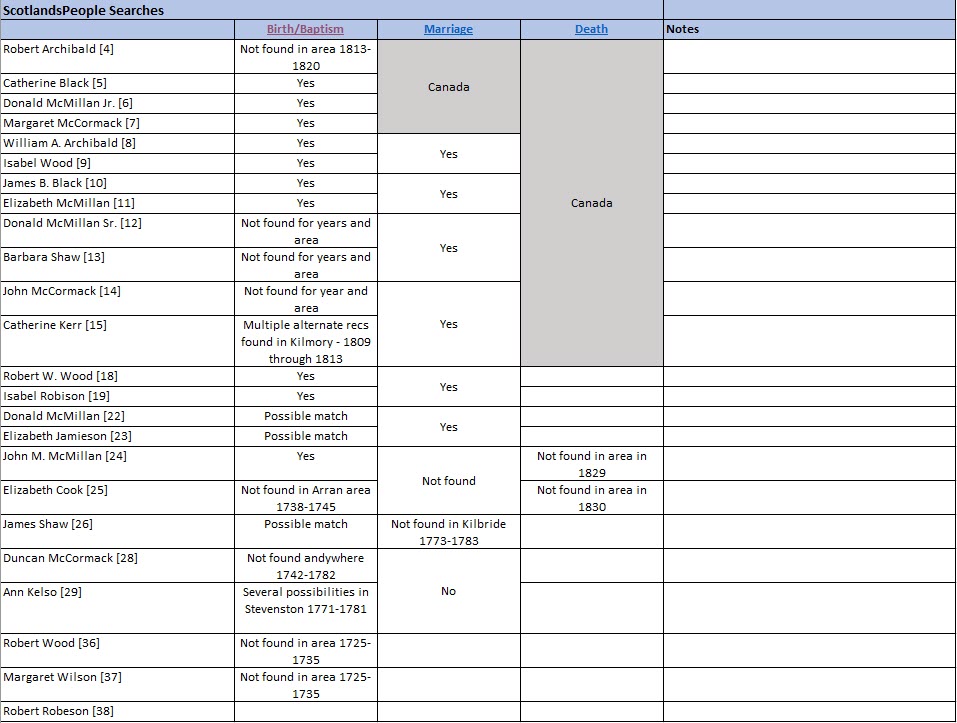
Any new or alternative information goes into the report bio and is cited in the bibliography and end notes. Negative search information is included in the worksheet too so I know not to search for that person again or how to modify my search later if needed.

 Michael L. Butler
Leave a comment